
TABLE OF CONTENTS
Before we get started it is important to make sure that all of your users in your Office have the correct Default Listing type set.
Commercial Office
Changing your Office to be a Commercial office
Go to Settings → Office Details tab.

Commercial Agent
Changing an Agent in your office to be a Commercial agent
You can find this in the Staff profile
Open their Staff profile → OSL User tab and scroll down to Listings
Make sure that their default Listing type is Commercial.
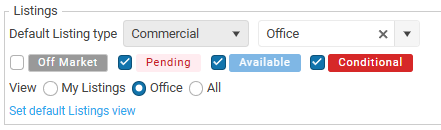
This option will change how the program works and sets the program to be a Commercial CRM program.