
OSL Intelligence is about using AI to make your life easier.
Using AI to re write or review your text can give you better ways to communicate your story.
TABLE OF CONTENTS
Updating your text
Using the AI Assistant button you can tweak or modify text using AI.
The AI Assistant is for any text, sentence or paragraph.
Highlight the text that you want to improve or change and then Click on the AI Assistant button.
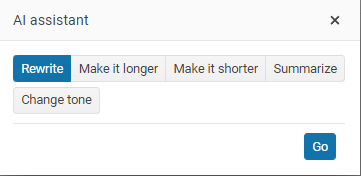
Select what you want; Rewrite, Make it longer, Make it shorter or Summarize then click on the Go button.
You can now see the suggested new text, if you like it click on the replace button.
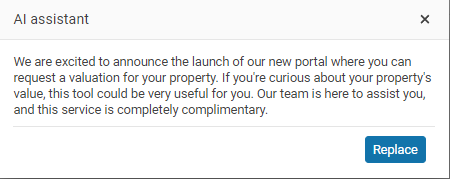
Change tone.
Change tone is an option that allows you to change the tone of your highlighted text.
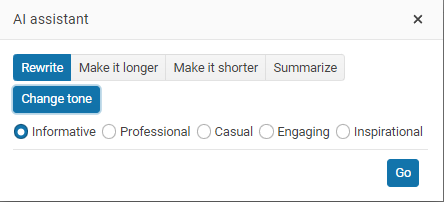
The AI Assistant can be used in letters, emails, vendor Activity reports, website blog pages and even your agent profiles...wherever you see the Ai Assistant button.
Shorter or longer text
If you do not want to use the suggested replacement text, click on the X to close the window.
Advertisement Writer
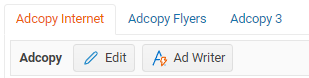
Use the Ad Writer on the Listing Adcopy Internet tab.
You can choose to create new advertising copy use it update what you have already written.

The Ad Writer uses AI to enhance your property advertising. Click on the Ad Write button.
Select either New or Update
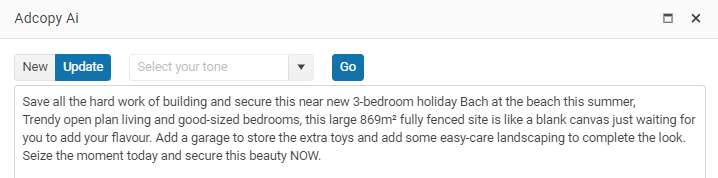
Then select the style or tone that you want to use on your advertisement.
- Friendly and professional
- Casual and conversational
- Professional and trustworthy
Then click on the Go button
It can take some time before the results come back, once they are back review the new adcopy.
Click Save or Cancel
CMA
Build your CMA using OSL Intelligence
Council Zone
We can connect to most local councils to locate the zoning for your property
Vendor Activity report
Let AI create a summary of your marketing activity
AI responsibly
Check your Ai generated text. AI is only a tool, and it is still your responsibility to proof any changes made, as with all new technology you may get unexpected results!
Learn more OSL > Help > Workbooks - AI Assistant video