
TABLE OF CONTENTS
Target tab
Contact Target tab

Click on the edit button to update your Buyers target requirements
This option will default to your default Listing type
Example residential if your are a Residential agent or Business if you are a Business broker.
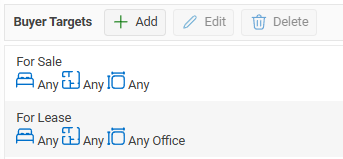
Location
The Buyer target requirements are used when you are matching.
Note
When entering your Buyers requirements the more board then the more likely that you will have a match. We all have stories of Buyers looking for a single level brick and tile in a specific suburb only to purchase a 2 level weatherboard in a different suburb!
History tab

The Contact History tab displays a history of properties associated with the selected contact.
A property will appear in the Contact History grid when:
- The contact has been recorded as a Vendor and the property has been sold.
- The contact has been recorded as a Purchaser and the property has been sold to them.
- An Appraisal has been created for the contact, even if the property has not yet been listed for sale.
This provides a quick way to view the contact's past property transactions and appraisal history from a single location.
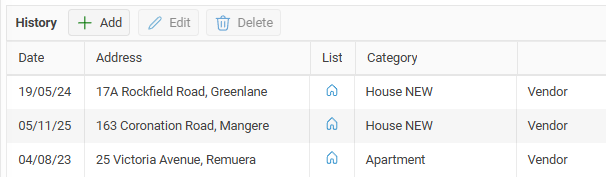
Note: If you are aware of previous property sales for a contact that are not already recorded in your database, you can use the Add button to manually add the sale to the contact's history. This allows you to maintain a complete record of the contact's past property transactions.
Docs tab
The Docs tab allows you to upload and store documents against a contact record.
Documents uploaded to this tab are linked directly to the contact and can be viewed or downloaded at any time by users with the appropriate access permissions.
Changes tab
The Contact Changes tab records material changes made to the contact record.
This audit trail allows you to see what information has been changed, when the change was made, and which user made the update. Changes that may be recorded include updates to contact details, addresses, communication information, and other important fields.
The Contact Changes tab helps maintain accountability and provides a history of significant updates made to the contact record.