
How to set SEO tags for the pages on your OSL website.
In addition to the website SEO settings you can also add meta tags or search engine optiminsation tags to individual pages on your website.
Pages with SEO loaded are shown with a tick
This is important to your News and other static pages on your website
Login to your website settings
Select the Pages tab
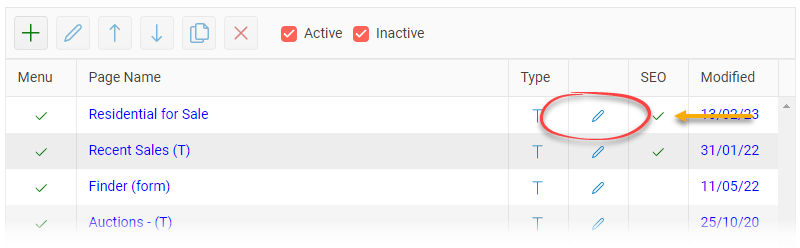
Select the page that you want to add meta tags
Click on the Edit pencil button
When the page opens select the SEO button in the toolbar
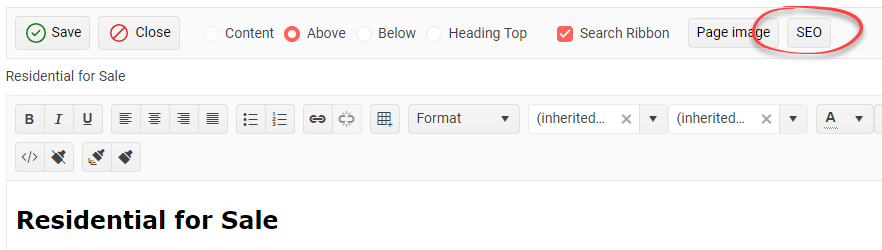
These are the SEO meta tags for this page
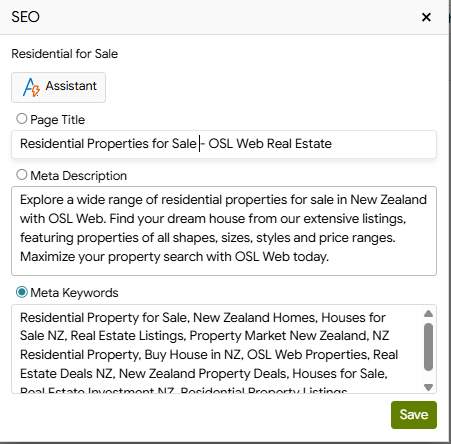
Enter the SEO meta tag information for your page, or use the AI Assistant to automatically generate the content for you.
Once you have finished, click the Save & Close button to save your changes and return to the page list.
Here is an example page title for your residential for sale listings.

You should set the SEO tags for all of your website pages.