
The Help menu is on the main menu bottom left.
TABLE OF CONTENTS
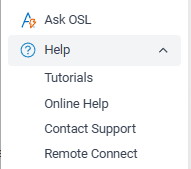
All of the OSL Office programs provide several ways to get help, from asking Ask OSL a question to viewing tutorials, searching our online knowledge base, or contacting the OSL Support team.
Ask OSL
Select Ask OSL from the OSL Office menu to ask a question about using OSL.
Type your question in plain English, for example:
How do I add a new Agent?
Ask OSL searches the approved OSL knowledge base and uses the most relevant help articles to answer your question.
If the information isn't available in the OSL knowledge base, Ask OSL will tell you rather than make up an answer.
Tutorials
We have created videos and workbooks to help you get started with the basics as well as some of the more complex functions in OSL Office.
Access these using Help > Tutorials.
Online Help
Select Help > Online Help to browse the OSL knowledge base.
Find the topic you need and click the Full Screen link to view the complete knowledge base article.
Something must be working because you have found yourself here!
Contact Support
If you still need assistance, select Help > Contact Support to send an email to the OSL Support team.
Please include as much information as possible about what you were doing and what happened.
Remote Connect
Sometimes it's easier if the OSL Support team can see exactly what is happening on your screen.
Select Help > Remote Connect when requested by OSL Support so we can connect to your computer or device and assist you.
NEXT Privacy Policy