
Listing → Agency tab II

On the right-hand side of the Listing Agency tab, you can add the Listing Vendor, Solicitor, Confidential Listing Comments, and Tenancy Details.
TABLE OF CONTENTS
Vendor
Adding a Vendor to your Listing by selecting the Add button.
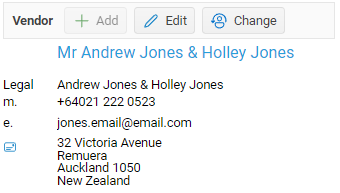
Click on Add button to add your Vendor.
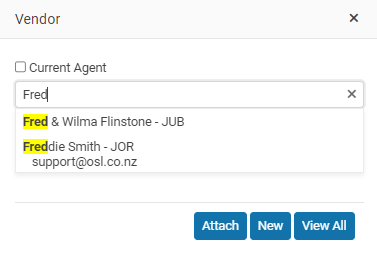
- You can Find an existing Contact – Start typing their Name, Email, or phone number to find the Contact, then select and Attach to your Listing.
- View all – If you cannot find but know that they are in your database click on the View All to make it easy to locate them
- New – If you know that they are not in your database then click on the New button and add to your database and then attach to your listing.
Best practice; You should add your Vendors, Landlords, Solicitors directly into your Contact/People database before loading your listing.
If your Vendor is not in your People database then select the New button and enter the Vendor into your database.
A contact in your people database can be a Vendor, Buyer, Past client, Active client all at the same time!
Adding a a Vendor to a listing or a Landlord, Tenant, Solicitor, or Owner it’s the same process each time.
Vendors Solicitor
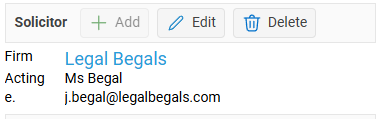
The Solicitor is the lawyer or professional company/ lawyer representing the vendor. Select your solicitor firm and then enter the contact with the firm.
Click on the Add button to add a solicitor to your Vendor
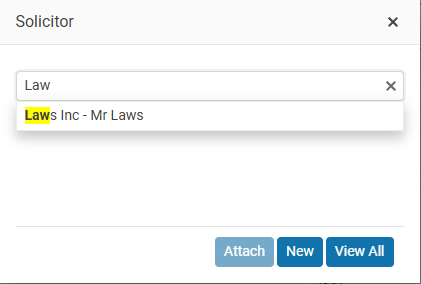
You can start typing to find an existing solicitor or use the New or View All buttons
New Solicitor
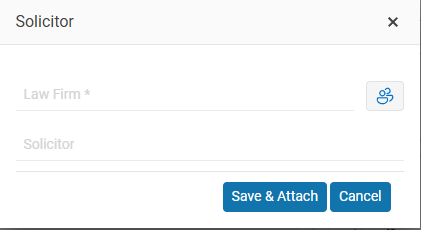
Enter the Law form and the solicitor acting for the Vendor then select the Save & Attach
Important
After you have created your New Solicitor you will have to use the Edit button to enter their contact details
Your Solicitors are a special type on contact in your contact database.
Confidential Comments
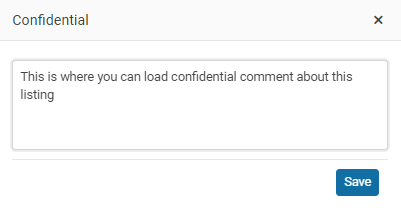
Enter confidential comments
Adding Confidential comments to your Listing
An example might be ‘Marriage separation’
Note: Confidential comments are only displayed inside OSL Office.
Tenancy details
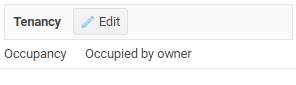
Select if the property is
- Vacant
- Tenanted
- or Owner Occupied
If tenanted you can add the tenant from your Contact database, the weekly rental amount and tenancy expiry date
If the property is tenanted enter the weekly rental amount.
NEXT Listing Internet tab