
Listing → Open Homes tab

Why collect your attendees? There are many reasons to record your open home attendees
- So you can report activity to your Vendor
- Best practice and professional
- Provide feedback to your Vendor, that's code for educate your Vendor about market expectations
- have an audit trail of who has visited the property
- and last but not least build your people database
TABLE OF CONTENTS
New Open Home
Open your listing and select the Listing > Open Homes tab
Click on the Add button to create a new Open Home time.

Click on the Add Open Home button enter the day and time for the open house.
The Agent running the open home will be the first Agent on the listing. If the Open Home is going to be run by another Agent in your office, select them here.
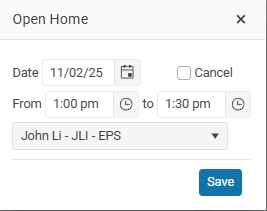
Click on the Edit button to change the open home time.
Edit an Open Home
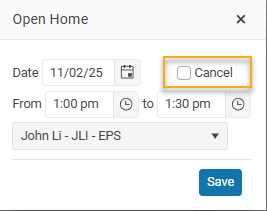
Sometimes you may need to cancel an Open Home, select the Open and click on the Cancel checkbox.
Open home notes
- The Open Home option is only available for Residential and Rural Listings.
- Open Homes cannot be entered more than 56 days from today.
- You can change the default start time for your open homes in Settings