
When a users request that a Sale is Reversed we need to know if they simply want to adjust a Agents pay statement or they want to change the Commission on a Sale
Unpay an Agents pay statement
If they simply want to reverse an Agents pay statement they can do this is the program on the Staff > Sales >Statements tab
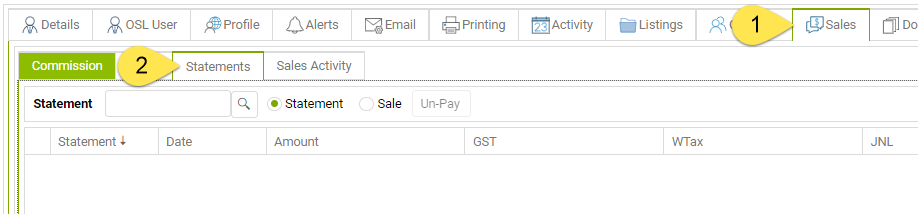
Reverse a Sale
If they want a Sale reversed (i.e because the commission received amount is incorrect) we have to do this at a table level
- Find the sale #
- Remove the SaleChg records = R Released and X Completed (if Agents have been paid)
- Change the Sale.status from X to U Unconditional
- Then login as the user and remove the sale transactions created by the Sale release process
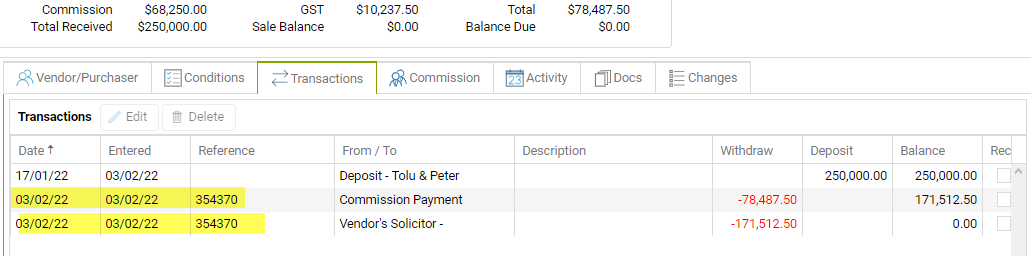
We need to use the Delete btn so that sale balance updates correctly.