
Use the Office Website → News menu to add news articles (or “blog pages”) to your site.
Keep publishing regular updates — fresh content helps improve your visibility on Google and other AI-driven search engines.
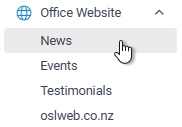
TABLE OF CONTENTS
By adding new articles to your website keeps Google indexing coming back to your website
News Article
Click on the + Add New Blog button to add an article page to your website.

Page Name
Give your page a meaningful name, note this name is not displayed on the website.

You cannot use special characters for your page name.
Page Heading
The is the heading for your article page

Date
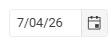
The date is the date that you want the article to be displayed.
Status
Only Active pages will be displayed

Written by
Select who you want this artile to be written by

Your News article pages are displayed in Date order.
To change the order of your blog pages just change the article Date
Editing your page

Use the Format drop down for headings - heading 1 for the title on the page , heading 2 for sub titles
Plain text
Always use Paste as plain Text, if in doubt select your text and then click on the Clean formatting button.

Images & Documents
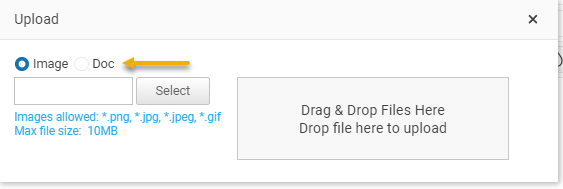
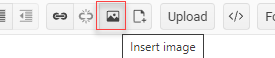
It looks good to begin your News page with an image. Inserting images can be a hassle! It is a two step process,

Select either Image file or Document
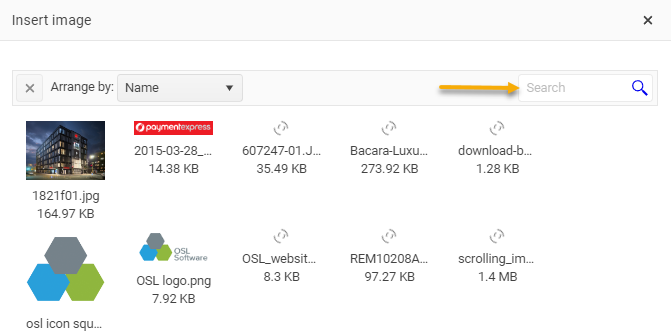
Use meaningful files names, so that they are easy to find after upload.
Hyperlinks

Use the hyperlink button to link to another page or location in your file
Use your mouse to highlight your text and then click on the insert hyperlink button
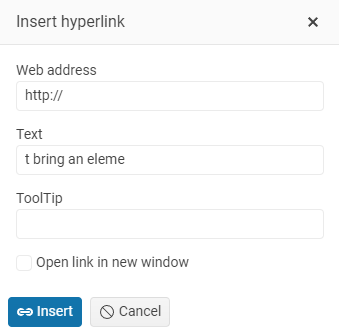
Written by
This option will display the author of the article. Select ‘blank’ if you do not want to attribute an author to the article.
Publish your page
Your page will not be visible until you make your Active page YES
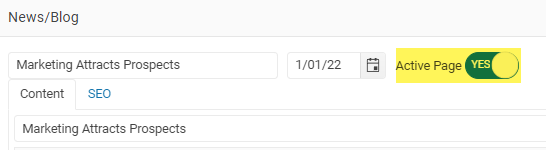
To remove a news article set Active page to NO
View your News page

Click on the eye link to view your news article.
SEO
Open your News article and select the SEO tab to add your SEO tags.
Page tile, Description and key words
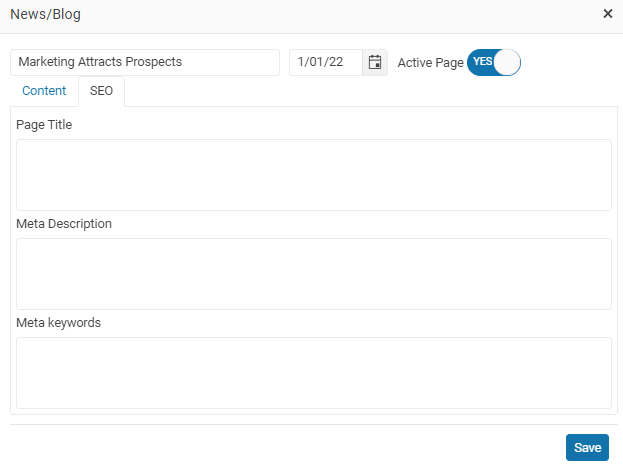
Pages with SEO added will show with a tick in the SEO column on the News grid.

News on your website
Showing on your home page

If you’re publishing regular News posts, be sure to enable the option to display them on your homepage. Once selected, your three most recent articles will appear automatically.
Adding a News page to your website
You should already have a News page enabled on your website. If not, please contact support to have it activated, or follow the instructions below.
To show your News articles on your OSL website add the template page News/Blog summary to your website.
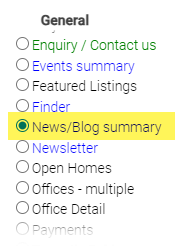
The News/Blog template page displays a preview of your news article page.
News options
You have two layout options for your News pages These settings are maintained on the website Details tab in your website settings. That means you need to log into your website settings to make these changes.
Login into your website and on the Settings tab scroll down to the Blog News settings panel
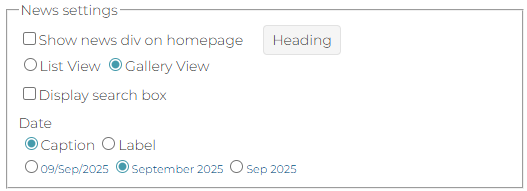
- List view or Gallery view. - The blog summary page will display each article as a card on the News/blog summary page. There are two layout options for your blog page, List view or Gallery view.
- Display search box - Search your Blog - When you Blog starts to have a lot of article pages turn on the Display search box option so visitors can search across all news articles.
- Caption or date label - You can set how the date is displayed on your blog
Ideas for News pages
A real estate office's website news page can serve as a valuable resource for clients, potential buyers, sellers, and the local community. Here are some good subject ideas:
1. Market Updates and Trends
- Local real estate market reports and trends
- Nationwide housing market trends
- Forecasts for property values
2. Property Spotlight
- Featured properties of the month
- New listings and upcoming open houses
- Unique properties or luxury homes available
3. Home Buying and Selling Tips
- Tips for first-time homebuyers
- Advice on preparing a home for sale
- Steps for a smooth home buying process
4. Local Community News
- Updates on local developments and infrastructure projects
- Profiles of neighborhoods and communities
- Community events and activities
5. Real Estate Investment Advice
- How to start investing in real estate
- Tips for managing rental properties
- Market analysis for potential investment areas
6. Home Improvement and Renovation
- DIY home improvement ideas
- Tips for increasing home value
- Latest trends in home design and decor
7. Legal and Financial Advice
- Understanding property taxes and fees
- Mortgage advice and interest rate trends
- Legal aspects of buying and selling property
8. Success Stories and Testimonials
- Client testimonials and success stories
- Case studies of successful sales or purchases
- Stories of challenging transactions and how they were handled
9. Company News and Achievements
- Awards and recognitions received by the real estate office
- New agents joining the team
- Company milestones and anniversaries
10. Sustainability and Green Living
- Eco-friendly home features and trends
- How to make a home more energy-efficient
- Benefits of sustainable living in real estate
11. Local Business Spotlight
- Collaborations with local businesses
- Spotlight on local vendors and service providers
- Support for local causes and charities
12. Industry Insights and Predictions
- Expert opinions on the future of the real estate market
- Emerging technologies in real estate (e.g., virtual tours, smart homes)
- The impact of economic changes on the housing market
These topics can help keep your website fresh and engaging, providing valuable information to your audience while also showcasing your expertise in the real estate industry.
NEXT Website Events